Introduction
Are you just starting your journey in digital marketing and wondering which tools can make your work easier and more effective? The digital marketing landscape is vast, and having the best digital marketing tools 2025 at your disposal can save you time, improve your strategies, and help you achieve better results. The good news? Many powerful tools are free digital marketing tools that every beginner should explore.
In this guide, we’ll walk you through the top 10 free digital marketing tools every beginner should use, covering everything from analytics to content creation and social media management.
Why Free Digital Marketing Tools Are Essential for Beginners
Starting in digital marketing can be overwhelming. Paid tools are great, but beginners often have limited budgets. That’s why free digital marketing tools are perfect—they provide valuable insights, help you learn, and enable you to implement strategies effectively without breaking the bank.
Using these tools, you can:
- Track and analyze website traffic
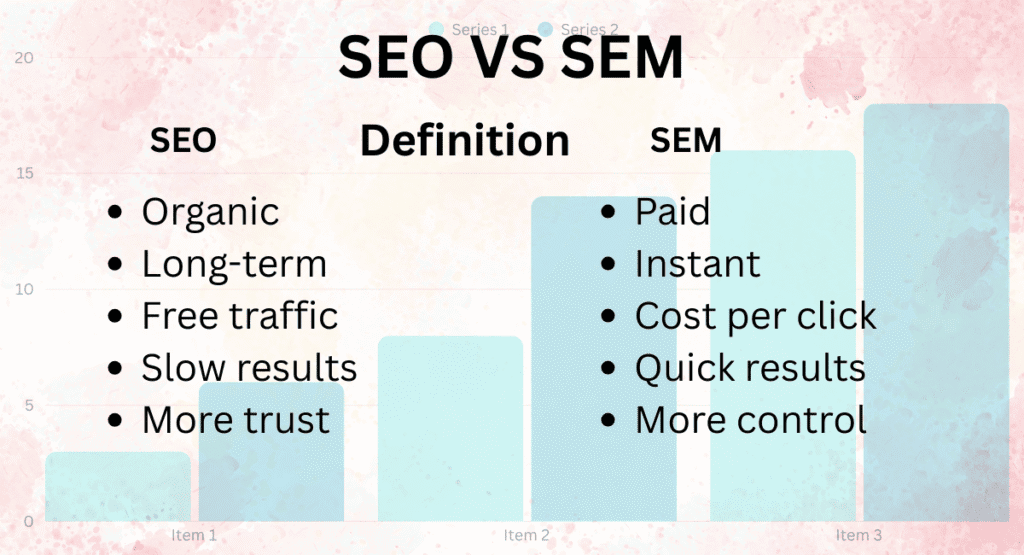
- Optimize your SEO and SEM campaigns
- Create engaging content
- Manage social media efficiently
- Improve your writing and email campaigns
Now, let’s dive into the best digital marketing tools 2025 that every beginner should start using today.
1. Google Analytics
What is Google Analytics?
Google Analytics is a free platform that allows you to track website traffic, user behavior, and conversions. It’s one of the most popular SEO and SEM tools free available.
Why Beginners Should Use It
For beginners, Google Analytics helps you understand:
- How visitors find your website
- Which pages perform best
- Where visitors drop off in the conversion funnel
How to Get Started
- Sign up for a free Google Analytics account.
- Add the tracking code to your website.
- Start analyzing your website traffic and user behavior.
Tip: Regularly check Google Analytics to make data-driven decisions for your content and marketing campaigns.
2. Google Search Console
What is Google Search Console?
Google Search Console (GSC) is a free SEO tool that helps you monitor your website’s presence in Google search results.
Key Benefits for Beginners
- Track keyword performance
- Identify indexing issues
- Monitor backlinks
- Optimize your site for better search rankings
How to Use It
- Verify your website in GSC.
- Submit your sitemap.
- Monitor search performance and fix issues.
Using GSC alongside Google Analytics provides a comprehensive view of your website’s SEO health.
3. Ubersuggest
Overview
Ubersuggest by Neil Patel is a free digital marketing tool designed for keyword research, SEO analysis, and competitive insights.
Why It’s Useful
- Discover high-performing keywords
- Analyze competitors’ SEO strategies
- Get content ideas and SEO suggestions
Getting Started (H3)
- Create a free Ubersuggest account.
- Enter your target keywords.
- Explore keyword volume, CPC, and SEO difficulty.
Pro Tip: Use Ubersuggest to optimize blog posts, website pages, and SEM campaigns for better results.
4. Canva
What is Canva?
Canva is a free graphic design tool that helps you create stunning visuals for social media, blogs, and email campaigns.
Why Beginners Love Canva
- Drag-and-drop interface
- Thousands of templates
- Free images, icons, and fonts
How to Use Canva (H3)
- Sign up for a free Canva account.
- Choose a template or start from scratch.
- Design social media posts, infographics, banners, and more.
Visuals are crucial in digital marketing. Canva ensures even beginners can create professional-looking designs.
5. Buffer / Hootsuite Free
Overview
Buffer and Hootsuite are free social media management tools that help you schedule posts, track engagement, and manage multiple platforms.
Benefits for Beginners
- Schedule posts in advance
- Monitor audience engagement
- Manage multiple accounts in one dashboard
How to Get Started
- Create a free Buffer or Hootsuite account.
- Connect your social media profiles.
- Start scheduling posts for consistent engagement.
Pro Tip: Use analytics from these tools to find the best posting times for your audience.
6. Grammarly
What is Grammarly?
Grammarly is a free writing assistant tool that improves grammar, spelling, punctuation, and overall readability.
Why It’s Important for Digital Marketing
- Perfect your blog posts, emails, and social media content
- Maintain a professional tone
- Avoid common writing errors
How to Use Grammarly
- Install the free browser extension or app.
- Paste or write your content.
- Review suggestions and make improvements.
Strong content is the backbone of any digital marketing strategy, and Grammarly ensures your writing is flawless.
7. SEMrush Free Trial
Overview
SEMrush is a comprehensive SEO and SEM tool. While its full version is paid, the free trial gives beginners access to powerful features.
Key Features
- Keyword research
- Competitor analysis
- Backlink monitoring
- Site audit
How to Use the Free Trial
- Sign up for a free SEMrush trial.
- Explore keyword and competitor insights.
- Optimize your website and campaigns based on the data.
Pro Tip: Use SEMrush trial wisely to get insights and export reports that will guide your SEO and SEM strategy.
8. Answer the Public
What is Answer the Public?
Answer the Public is a free content research tool that shows the questions and topics people are searching for online.
Benefits for Beginners
- Generate content ideas
- Discover trending topics
- Improve SEO with question-based content
How to Use It
- Enter your keyword in Answer the Public.
- Explore visualized data of questions, prepositions, and comparisons.
- Use these insights to create engaging blog posts and social content.
Content that aligns with user queries performs better in search engines, making this tool invaluable.
9. Mailchimp Free Plan
Overview
Mailchimp is a leading email marketing tool with a free plan for beginners.
Key Features
- Send up to 500 emails per month
- Basic automation and segmentation
- Pre-designed templates
How to Use Mailchimp
- Sign up for a free account.
- Create your email list.
- Design campaigns and track performance.
Email marketing remains one of the most effective digital marketing channels, and Mailchimp’s free plan is perfect for beginners.
10. Trello / Asana
What Are Trello and Asana?
These are free project management tools that help you plan, organize, and manage digital marketing tasks.
Benefits for Beginners
- Track projects and deadlines
- Collaborate with team members
- Visualize workflows using boards and lists
How to Get Started
- Sign up for a free Trello or Asana account.
- Create boards or projects for your marketing campaigns.
- Assign tasks and set deadlines.
Staying organized ensures your campaigns run smoothly, even as a beginner managing multiple tasks.
Conclusion
Starting with free digital marketing tools is the smartest way for beginners to gain hands-on experience without spending a fortune. From analytics to content creation, social media management, and project organization, the tools mentioned above are essential for anyone serious about digital marketing in 2025.
By leveraging these best digital marketing tools 2025, you can build a strong foundation, improve your SEO and SEM efforts, and create high-quality content that resonates with your audience.
Start exploring these tools today, and take your digital marketing skills to the next level!